


Camera endoscope / OTG USB
3.3399.00 Reviews
App Specs
- Version
- 46.0
- Updated On
- License
- Free
- Downloads
- 1,000,000+
- Developer
- One Music Player
- Categories
- Libraries & Demo
- Platform
- Android, iOS
Screenshots
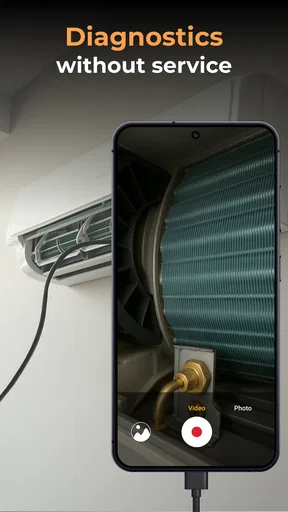
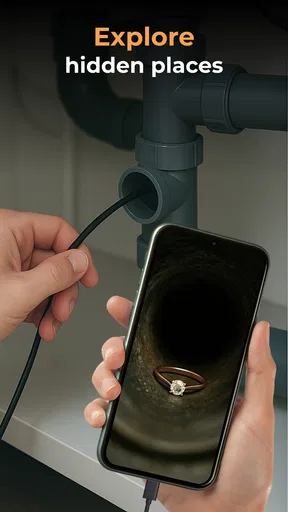
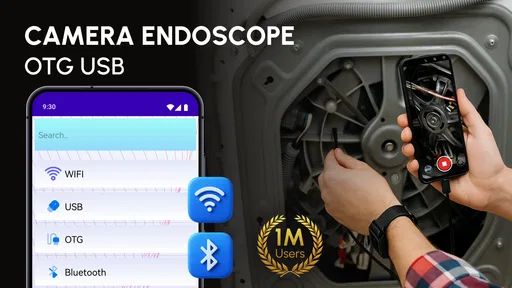
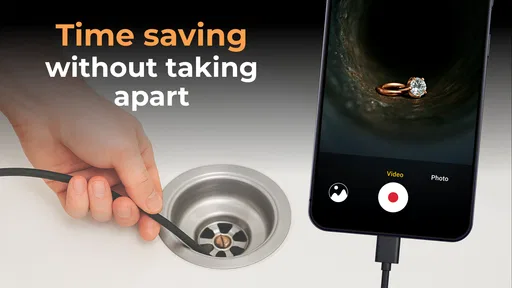
 Analysis by AppCompare
I judge an endoscope app less by how exciting a first look feels and more by whether it helps me answer a practical question: what is in that narrow, dark space, and can I get a useful view without turning a small job into a bigger one? The Camera endoscope / OTG USB is intended to work with an endoscope camera or another compatible device, so its value depends on having the right camera hardware as well as a phone that can connect to it. I’d think of it as a viewing tool for inspection, not as a camera app that can do the same job on its own.
A sensible starting routine
For a first session, I’d keep the setup simple: connect the camera through the appropriate OTG connection, open the app, and check that a live view appears before feeding the camera into a tight or hard-to-reach area. That small check is worth doing near the opening rather than after the camera is already deep inside a pipe, appliance, or car compartment. If the view does not appear, reseating the connection and reopening the app is a more useful first step than assuming the camera itself is faulty.
I also find it helps to decide what I need to learn before starting. “Is there an obstruction?” is a much easier inspection goal than “show me everything in this space.” A clear question encourages a slower, more controlled sweep, and it makes a captured image or recording more useful later. This is a practical habit rather than a special app feature, but it can save time when the live image is confined to a small area.
What to check before crawling into a space
Compatibility is the first thing I would check, because the app’s purpose depends on a separate camera and a working connection. OTG support can vary with the phone and the particular camera, so I would confirm that the two can communicate before relying on them for a repair or inspection. A connection that works on one handset is not a guarantee that another will behave the same way.
It is also sensible to check the camera’s lighting and image while it is still easy to reposition. A bright LED can reveal a dark corner, but light alone cannot make every surface easy to interpret: shiny, wet, or very close objects may be harder to judge than a plainly visible obstruction. I would move the camera gently and compare views from more than one angle instead of treating one glare-filled frame as a definitive answer.
Keep the phone somewhere you can reach without pulling the camera around. When a hand is busy guiding a flexible cable, awkwardly stretching for the screen can make the camera bump the surface you are trying to inspect. A stable position for the phone and a deliberate feed-and-pause rhythm make the process easier to control, particularly when the route has bends.
Making snapshots and recordings useful
Taking a picture or recording can be more helpful than trying to remember what the live view showed, especially if I need to compare two spots or explain a finding to someone else. I would capture only after pausing the camera and getting a steady view; a brief pause often produces a more informative image than recording continuously while moving. If I am checking a suspected blockage, for example, I would save a view before it and another after changing the camera angle, rather than relying on a long clip that is difficult to review.
Worth Reading Before You Choose

Flipboard Shows What News Apps Must Do Beyond the Feed

Switching to Android Auto Means Rethinking Your Driving Routine

Google Calendar Makes a Crowded Week Easier to Manage

Ludo King Makes the Most of the Minutes Between Plans

Baby Panda World Brings Quick Play to Modern Phones, but Its Game Library Feels Busy

ESPN’s Live Game View Makes Following Close Games Easier
There is a trade-off between documentation and convenience. A saved image can help with a later comparison, but it is not automatically a diagnosis, and a close-up without context may be confusing when revisited. I would make a mental note of where the camera was pointed or capture a wider orientation view first, then take the closer image. That simple sequence gives the detail a better reference point without requiring any special editing tools.
For a household check, I might use the setup to look behind an accessible appliance or inspect a visible section of a drain before deciding whether to take further action. I would not push a camera into a place where it could become trapped, or treat an unclear image as proof that a system is safe. An endoscope can help me see; it does not replace a qualified repair when the job involves hazardous wiring, pressurized equipment, or a component that should not be disturbed.
Who benefits, and when another tool is better
This kind of app makes the most sense for someone who already owns, or plans to use, a compatible endoscope camera and wants a phone-based way to view the feed. It suits occasional DIY checks, basic visual exploration, and documenting a hard-to-see spot before deciding on the next step. It is less compelling if you only want ordinary photos and video, since a standard camera app is simpler for that purpose and does not require a separate inspection camera.
Compared with a dedicated inspection monitor, a phone setup can be convenient because the display and saved media are already in a familiar device. The trade-off is that the whole chain depends on the camera, the connector, and handset compatibility. A dedicated tool may be a better choice for frequent professional work or situations where dependable, repeatable operation matters more than using equipment you already have. For occasional home use, I would first test the connection and image quality in an easy-to-reach location rather than buying around an assumption.
What the app can and cannot settle
My main caution is that a live view can look more conclusive than it really is. A camera may show a surface without revealing what lies behind it, and limited visibility can make distance and orientation hard to judge. If I am trying to identify a small part, confirm a leak, or determine whether damage is serious, I would treat the feed as an initial clue and seek a closer inspection when the consequences matter.
There is also a practical difference between seeing a camera listed as compatible and getting a reliable session with a particular phone. Before depending on this for a time-sensitive task, I would test the connection, check that the image remains visible while the cable is moved gently, and make sure I can save a sample if documentation matters. That routine answers the most important setup questions early: whether the phone connects, whether the camera gives a usable picture, and whether the workflow is comfortable enough for the job.
Getting Started
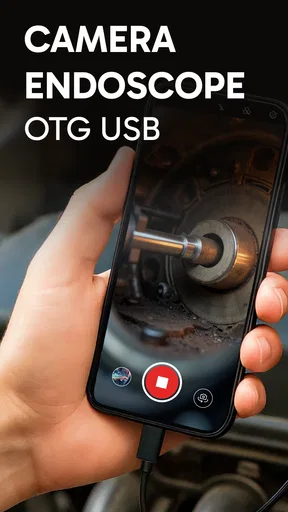
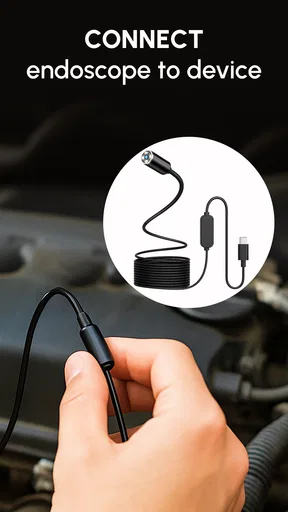
Setting up the Camera endoscope / OTG USB is a breeze. The app is available for download on both the Google Play Store and the App Store. Once you've got it installed, simply connect the camera via the OTG cable to your smartphone or tablet. The app automatically detects the device, making it super user-friendly. No fiddling around with complex settings here – just plug and play!
Features That Stand Out
One of the coolest features has to be the adjustable LED lights. These little guys make it possible to get a clear view even in the darkest nooks and crannies. Whether you're trying to fix a leaky pipe or just exploring the depths of your couch cushions, these lights have got you covered.
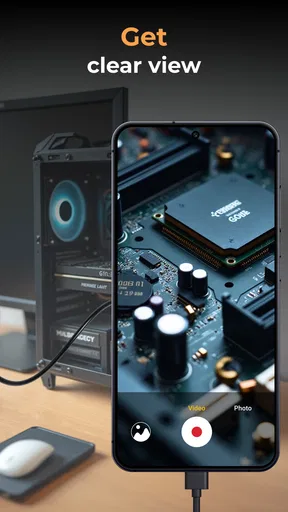
The camera's resolution is another point worth mentioning. While it's not going to replace your DSLR anytime soon, it does offer a sharp enough image for most tasks. I found it particularly handy for checking the inside of my car's engine – I could see things I never even knew were there!
Performance and Usability
In terms of performance, the app runs smoothly with minimal lag. The real-time video feed is fluid, and you can even take snapshots or record videos directly from the app. Sharing these images or videos is a cinch, thanks to the app's integration with various social media platforms.
Another aspect I enjoyed was the length of the cable. At around 3 meters, it’s long enough to reach tight spaces but not too unwieldy. Plus, the cable is flexible yet sturdy, allowing you to maneuver the camera with ease.
Where It Shines and Where It Doesn’t
While the endoscope camera offers a lot of value, there are a couple of things to keep in mind. The app is occasionally a bit finicky with certain phone models, especially older ones. Also, while the resolution is good, don’t expect crystal-clear quality akin to a high-end camera.
Despite these minor hiccups, the overall experience has been overwhelmingly positive. For anyone needing a practical tool to see into places that are usually out of reach, this endoscope camera is a game-changer.
Who should give it a try
One realistic use is checking a dropped screw or small object that has slipped behind a cabinet or into an accessible cavity. I would first use the live feed to locate it, then take a still image once the camera is steady. That gives me a reference while I decide whether the object is reachable, rather than blindly poking around and risking pushing it farther away. The same approach can help with a quick visual check around an appliance, though I would avoid moving or dismantling anything unsafe just to get a better view.
The app is most useful for curious tinkerers and people who already have a compatible inspection camera. If the camera is only needed once, borrowing or using a basic inspection tool may be more sensible than buying hardware solely for the app. And if the task needs precise measurements, reliable fault diagnosis, or a durable setup for repeated work, I would choose purpose-built professional equipment instead of expecting a phone display to do more than show a live picture.
Practical limits and a fair comparison
Against an ordinary phone camera, the advantage is access: an endoscope can look into spaces a phone cannot fit. The ordinary camera remains better for general photography, clearer framing, and everyday recording. Against a dedicated endoscope viewer, the phone approach may be convenient, but it introduces a compatibility step and makes the result depend on both the accessory and the handset. That is why I would not judge the app in isolation; the camera and connection are part of the experience.
Lighting deserves a little restraint, too. I would begin with the lowest useful illumination and adjust only when the view is genuinely too dark. More light is not always more information, especially on reflective surfaces where glare can hide edges. A slow turn, a short pause, and a second angle are often more revealing than simply increasing brightness or moving the camera quickly.
Questions about whether it works with a particular setup are best answered by testing that exact phone and camera before a demanding job. The app is free, and it is listed for Everyone; it is developed by One Music Player. It sits in the libraries and demo area, has an average rating of 3.4 from around 8,600 ratings, and has been installed over a million times. It was released on August 31, 2020, and version 46.0 requires Android 5.0 or later. Optional in-app purchases range from $0.99 to $99.99 per item, so I would review any purchase prompts carefully rather than assume every part of the experience is included at no cost.
On balance, I see this as a practical companion for a compatible endoscope camera, not a substitute for the camera itself or for expert inspection. The best results come from checking the connection before starting, moving slowly, and saving only images that answer a specific question. If that matches the way you work, it can make small visual checks less awkward. If you need guaranteed compatibility, diagnostic certainty, or a dedicated professional workflow, I would look at other equipment first.
All in all, the Camera endoscope / OTG USB is a fantastic addition to any gadget lover’s toolkit. Whether you're into DIY home repairs, car maintenance, or just a curious explorer, this app is bound to come in handy. So go ahead, give it a whirl, and unleash your inner detective!
Pros
- User-friendly interface for easy navigation.
- Compatible with a wide range of devices.
- High-resolution image and video capture.
- Supports external storage options.
- Real-time viewing with minimal lag.
Cons
- Requires additional hardware for use.
- May drain battery quickly during operation.
- Limited functionality without internet.
- Some features require in-app purchases.
- Occasional connectivity issues reported.
FAQs for Camera endoscope / OTG USB
What devices are compatible with the Camera Endoscope / OTG USB app?
The Camera Endoscope / OTG USB app is compatible with most Android devices that support USB OTG (On-The-Go) functionality. Before downloading, ensure your device has OTG support by checking the specifications or consulting the manufacturer. iOS devices generally do not support OTG connections unless specified otherwise.
How do I connect the endoscope to my smartphone?
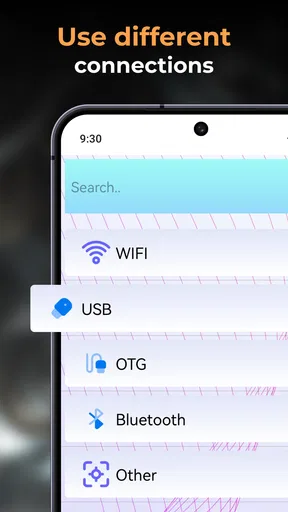
To connect the endoscope, use a USB OTG cable compatible with your smartphone. Plug the endoscope into the OTG adapter and then connect it to your device. Once connected, launch the Camera Endoscope app to begin viewing live footage. Ensure your device's USB debugging is enabled for seamless operation.
Is the app difficult to use for beginners?
The Camera Endoscope app is designed with user-friendliness in mind, featuring a straightforward interface that beginners can navigate easily. It offers essential functions like image capturing, video recording, and zooming. The app also includes a detailed user guide to help new users get started quickly and efficiently.
What features does the Camera Endoscope app offer?
The app provides a range of features, including real-time video streaming, high-resolution image capture, and adjustable LED lighting for better visibility. Users can record videos, take photos, and zoom in for detailed inspections. The app may also offer additional functionalities like image rotation and mirror mode, depending on the version.
Are there any privacy concerns with using this app?
The Camera Endoscope app requires access to your device's USB and storage to function properly. It's essential to download the app from a reputable source to ensure data security. The app should not collect personal data beyond what is necessary for its operation, but always review the privacy policy before downloading.


